Photography Equipment

Types of camera’s:

  • DSLR-Most efficient and will allow you to be more creative. It has adjustable ISO and aperture and built in flash. The lenses can come off and be replaced with different ones.
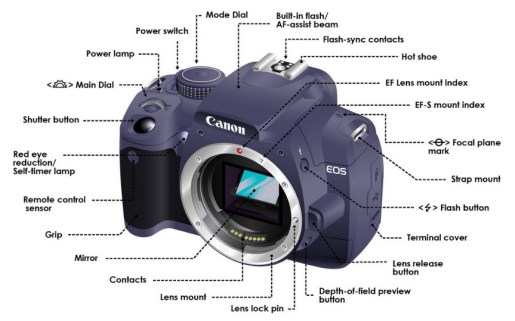
  • dslr
  • Analogue- No ISO or white balance. Rings to control aperture and used film which meant you had to develop them. The lens was not detachable. Also, it did not have an internet powered system. A motor was used to power it.analoyudegdyhuSLR- Shutter opens for a fraction of a second to emit light then the motor winds exposed film, the lens adjust to focus on the subject, the film reacts to light. It also has unexposed film.
  • DSLR- Shutter opens to emit light, light strikes sensor array, image data stored on RAM card and the lens adjust to focus on subject.
  • Lenses. 
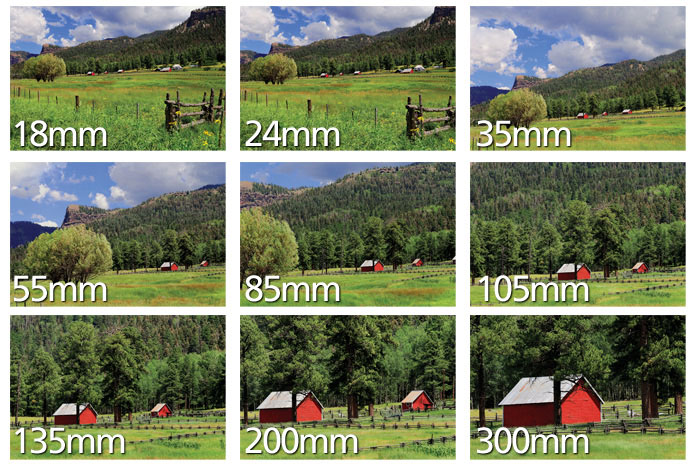
  • Image result for examples of different lens lengthsImage result for wide angle to telephoto diagram]#
  • Lenses can be taken off and replaced with different ones. 18mm-55mm is the typical kit lens on a camera.
  • Lens filters can be applied on your lens to get different effects on your photos. For example, a fish eye filter can make the picture slightly more distorted.
  • Personally, I would use the standard 18-55mm lens on a camera. For example, when trying to shoot a wide angle shot, I would use a 18mm lens and narrow aperture as it captures everything in view. However, if I am trying to shoot a close up- I would use a 55mm lens and a wide aperture.
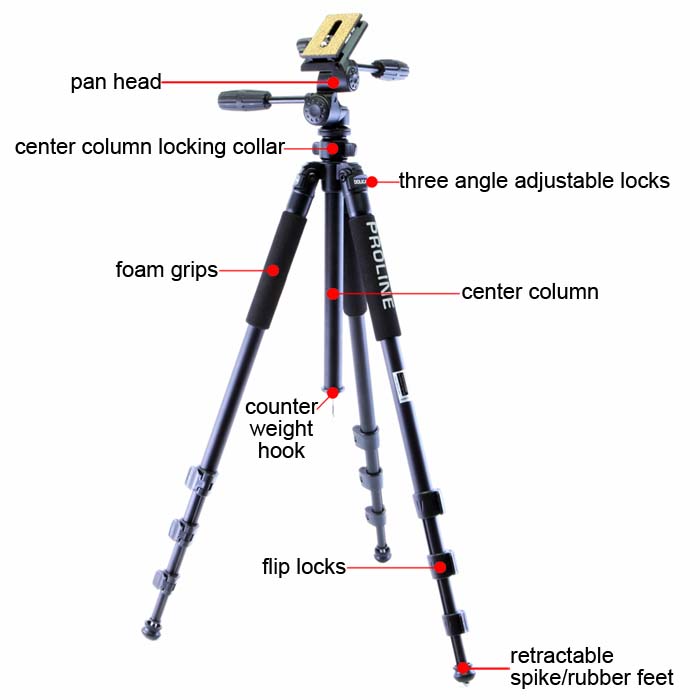
  • Tripods:Image result for tripod diagramUsed to lock- down a camera and gives it a good stable base in order to produce more stable pictures.
  • Additionally, you can tilt up and down and side to side without the image looking shaky.
  • Weighted tripods are more effective as it provides more security.
  • For example, I would tripods mainly when filming as I believe that the best footage is produced this way.  However, contrary to this, I don’t think tripods are needed are all times to get landscape pictures if you can already find a steady place to rest your camera.

Flash-

Flash can create nice silhouette. However, it should not be used at concerts or around people with epilepsy. Use a low speed flash if you want the background to be in shot too.

Flash in the best to use when highlighting a certain part of a picture. Therefore, I think that it is best to use it when taking portrait pictures as it highlights the face better. Sometimes flash can be useful in darker settings but only if the setup is right, otherwise the picture may look like it’s highlighting one subject too much.
Photography Challenge Day- Portsmouth- Top 5 Photos

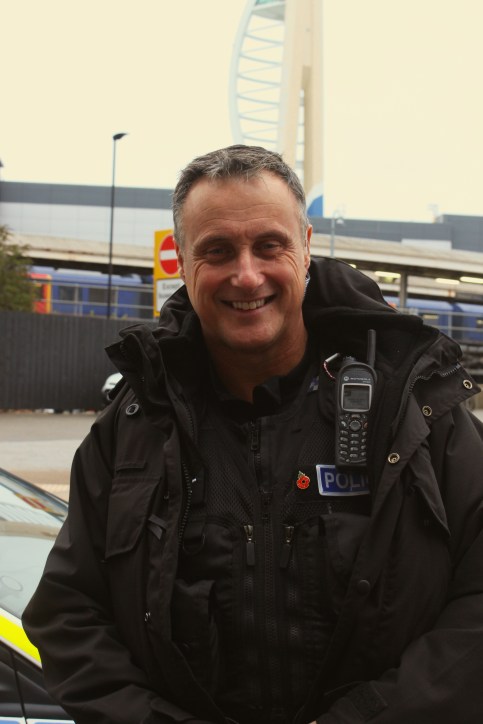
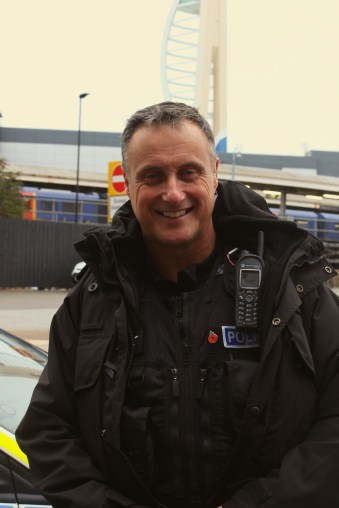
Policeman

This is one of the first pictures that we got. Ironically, we thought that this would be one of the harder pictures to find as we did not know if any policeman would actually consent to having their photo taken. However, this particular policeman was very friendly and let us take his picture with problem. He also gave us the confidence to ask more people to get their picture.

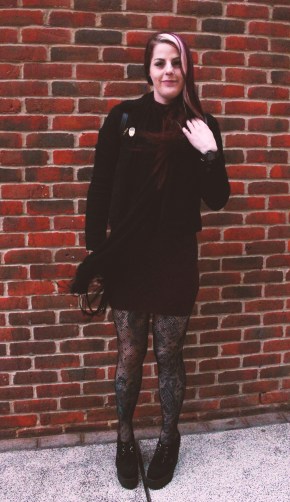
Unconventional Fashion

This is the picture that we used for unconventional fashion. This is one of my favourite pictures mainly because I liked her bold fashion choices so much. I also like the idea that she doesn’t feel the need to present herself the way that everyone in common society does.
Bird

I believe that this picture is very professional and realistic looking. When editing, I ensured to boost the vibrance and brightness to make the bold colours of the bird stand out.

City Landscape

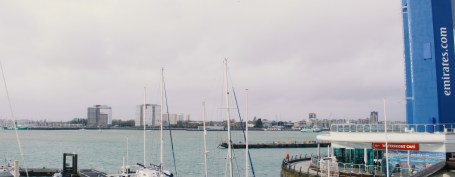
This is the picture that we used for a city landscape. A problem that I had with this picture is that it was a very overcast day, therefore it was hard to get a clear picture of the city. Additionally it would have been easier if we were closer to a city landscape as we couldn’t actually get a clear view of a city anywhere.

Glass Based Building

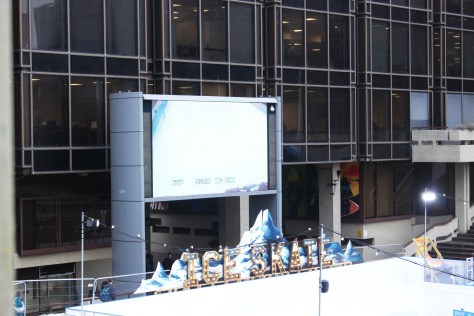
This is the picture we used for a glass building. What I don’t particularly like about this picture is that, once again, the overcast weather interfered with the lighting of the image and made it less clear.

Textual Analysis- Portsmouth Photography Challenge 28/11/18 – Policeman Portrait

Policeman

When assigned to do our photography challenge, one of the portraits we had to take was a portrait of a policeman. When first given this task, we thought that it would be a hard picture to achieve as we assumed that there were either going to be no policemen around or that most policemen would not want to consent to having their picture taken, especially if they were on duty, additionally, we just assumed that overall, policemen would be intimidating.

However, this picture was one of the first pictures we took on that day. We approached him while he was busy interviewing some workers in a Kebab shop and we waited for him outside until he was done, we then quickly asked if we could get a picture of him a college project. When he exited the shop he was holding a contained knife in a protective casing. Already at this point we thought that he did not want to be bothered. But, when we asked him, he was very much the opposite of what we were expecting. He was very friendly and welcoming and let us take his picture, he even made conversation with us by asking what type of camera we were using and informing us he also has a similar camera to the one that we were using.

This was very shocking to us based on our assumptions beforehand, this shows the problem with stereotyping before you really meet someone of a certain profession. In my opinion, this picture represents happiness and someone who is happy in their job. This picture definitely does not come off as intimidating and connotes that strong authoritative figures being are scary and intimidating is simply not true. They are just normal human beings living and working in society like everyone else, therefore, why should they be stripped of their personality? Their job is just a bit more complicated and gives them more authority over other citizens if they are breaking the law.

We took this picture as a portrait as it gives more personality to the shot. It shows who we are taking a picture of and almost what type of person they are. It seems that when people are talking about policemen, they focus on the fact that they find people and lock them up, however what people forget to mention is that policemen help us on a daily basis, without them, the country would be a very unsafe place. They help people get the justice they deserve and find the people who cause problems, misery and pain to a lot of families.

The stereotype surrounding policemen and just stereotypes in general can prove to be very unfair and all round unnecessary.

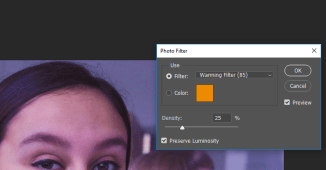
When editing this picture, I ensured that I brought out the warm tones, by firstly picking a filter that had autumn tones to it. I then adjusted the tint and made it orange; I think that this makes the picture more natural and inviting to the audience.

When people look at this picture, I hope for them to see someone beyond the police work uniform and someone who is naturally friendly and helpful, instead of making any stereotypical assumptions.

Photoshop Research Task

The Quick Selection Tool

Image result for quick selection tool photoshop

This tool is used to “paint” certain parts of pictures using an adjustable round brush tip.

As you drag the quick selection tool over your image and it slowly selects the part of the image that you want to edit. Once selected, you can edit this part of the image however you wish by adjusting the exposure, brightness, contrast, vibrance, etc. Additionally, you can also delete the part of the picture that you have selected, for example, the background, then one subject of the picture can be edited out,

However, you can also create the “colour splash” effect this way by simply choosing the “Black and White” option on the Adjustments tab, then the part of the picture that is desired to be in colour.

This is useful because it can make a certain subject of the picture stand out as it is the main part of the picture that is edited, therefore it is an effective editing tool.

Type Tool

Image result for type tool photoshop

The type tool of the picture can allow you to type on whatever is being worked on in Photoshop. This can be on an image or a presentation, for example, a poster. This shows to be helpful as it means that it expands the use of Photoshop. All that needs to be done is to select the type tool and it will pop up on the image. Text can either be typed or copied and pasted. Once the text is there, the font, sized and whether you want the text to bold,italic, underlined, etc. can be changed.

adavanced text

However, the type tool can look effective on a picture because it could be used for certain types of branding or logo making.  Personally, I would use this type of tool if I were to make any more posters or logos as it proves to be very useful.

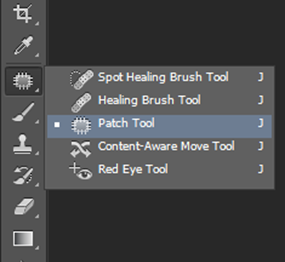
Patch Tool 

Image result for patch tool photoshop

Firstly, when selecting the Spot Healing tool, the Patch tool will come up. Once it is selected, drag a marquee around the area that you want to patch up.  The tool clones the selected area while you drag it to the damaged area When releasing the mouse button the tool blends in the source selection and repairs the desired area.

This tool is useful because it is and easy way of repairing parts of a picture and it does not completely obvious. I would personally use it for portrait shots, to get rid of any blemishes to make the image have a more finished look.

Blur Tool

Image result for blur tool photoshop

Once the image has been opened, select the blur tool. Then select a brush from the Brush Preset Picker on the larger Brush panel. Select a blending mode from the Mode pop- up menu, then adjust the strength of the blurring effect with the Strength Slider or text box.

Now paint all over the areas that you want to blur.

Once again, I find this tool useful as it can make certain parts of an image stand out. For example, for the Challenge days pictures, it would be a good tool to use for portraits to blur out the background and keep the face focused, which I believe makes the image look more professional.

Dodge Tool 

Image result for dodge  tool photoshop cc 2018 Image result for dodge  tool photoshop cc 2018

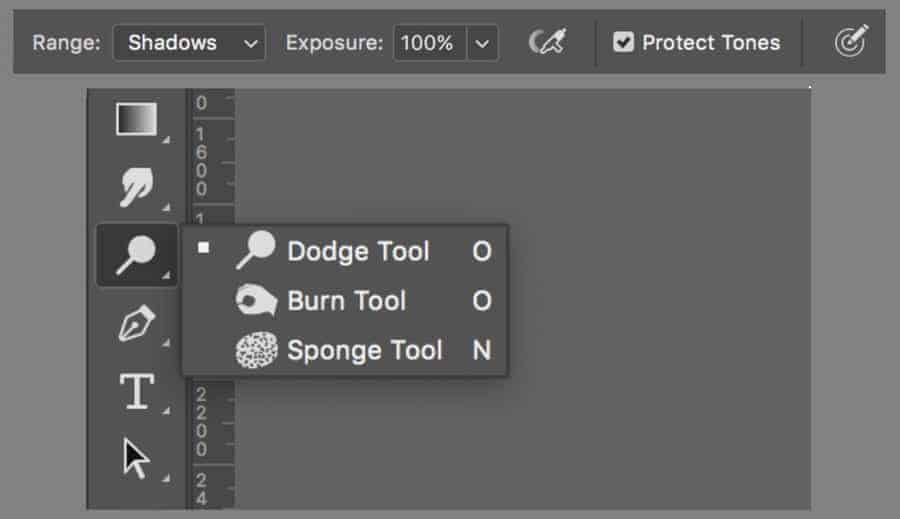
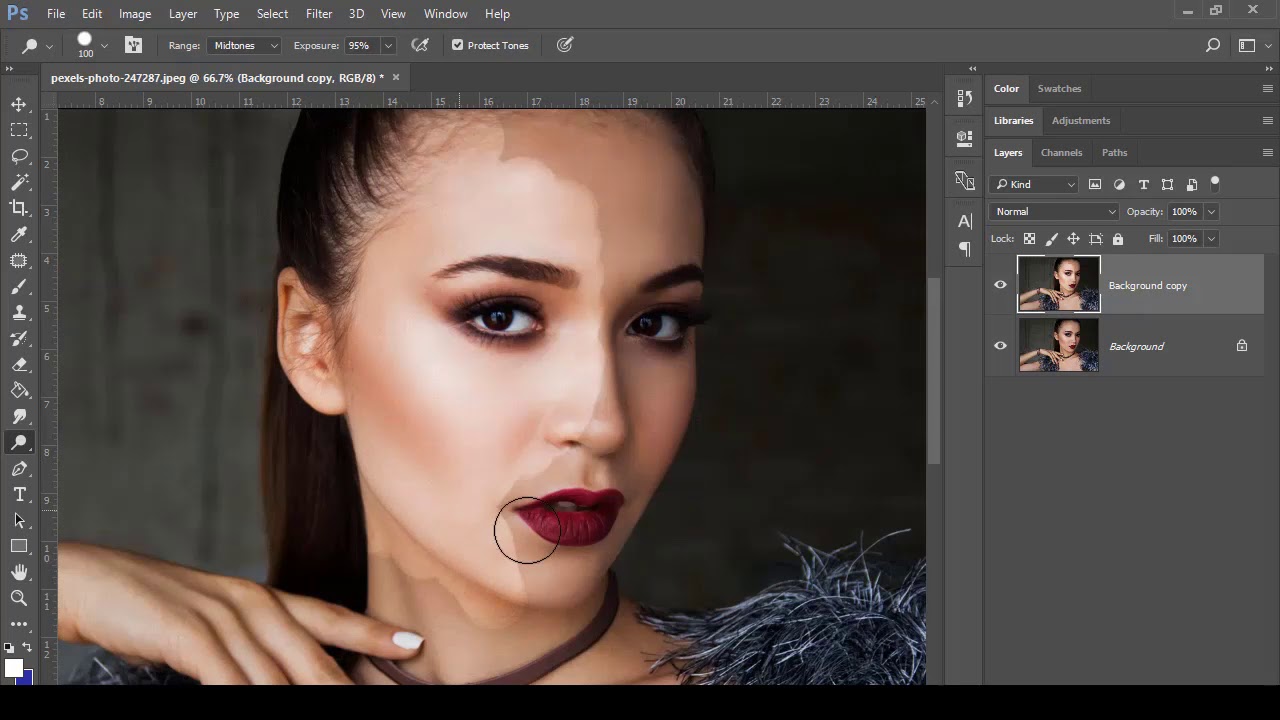
This tool works alongside the burn tool and makes an image lighter or darker depending on the area selected. This can be especially useful for portraits as you are able to choose which parts of an image you want to lighten or darken.


Photography Styles/Genres

Landscape photography:

Case study-Ansel Adams 

Depth of field: all in focus, lower the aperture to wide/open.

Image result for landscape photography

Repetition: use creative techniques to represent what you’re taking a picture of- for example, repetition of trees or use of reflection.

Image result for ansel adams photography

Symmetry- aesthetically pleasing- basic optical illusion.

Image result for landscape photography symmetry

Shapes- reflection of shapes in landscape pictures can be effective.

Image result for landscape photography reflective shapes

Leading Lines- draws focus to the main point of the photo.

Image result for landscape photography leading lines

Candid Street Photography

Process of taking photography of the natural (but usually) urban life of things and person who are unsuspecting.

If the subjects are prepared or the environmental stage, it ceases to be candid. Often easier than other types of photography as it means less planning and idea generation. However, can lead to other potential problems.

The Law:

  • It is legal to take photos in public of anything except private places.
  • Legal to take pictures of people in public.
  • Not legal to harass members of the public.
  • Police officers have the right to stop and search but security guards do not.
  • Not legal to become a public obstruction.

The Rules:

  • Be prepared to explain yourself.
  • Respect personal privacy.
  • Play it safe.
  • Be culturally competent.
  • Stand on public property (some places are open to public but are private.)
  • Be confident and calm when you are asking someone to take their photo.
  • Don’t approach them from behind.
  • Full body shot first as it is less uncomfortable then get closer.

Concert Photography:

  • Low Aperture:
  • Use fast lenses and shoot them wide open. Set aperture to the smallest number on your lens e.g. f/1.8 (which reflects a big aperture). This allows the most possible light to enter your sensor and is a must-have setting in ultra-low light stage conditions.
  • The best zoom lenses have an aperture of f/2.8, the best prime lenses f/1.4 or f/1.8. For beginners on a budget, get a 50mm f/1.8  which is cheap and a no brainer for concert photography.

Fast Shutter Speed:

  • To freeze these movements you have to use a fats shutter speed. In general, set shutter speed at 1/200 sec and faster. Otherwise you risk blurry photos.
  • High ISO
  • The higher the ISO setting, the less light is needed for a proper exposure but the more noise you encounter in your pictures. Depending on the ability of your camera good starting point for ISO is a setting of 1600. If the shutter speed is low, crank up the ISO setting to 3200/6400.
  • Image result for concert photography

Spot metering:

Set camera’s internal light to spot metering. When shooting concerts, you will often find the artist is lit by a spotlight and the rest of the stage is almost dark. When using spot metering mode, place the artists face in the middle of the viewfinder and you’ll get the right exposure for it. When using the Matrix metering setting, the camera will take a light reading at several points in the scene and you’ll get less overexposed faces.

Image result for concert photography

Single Auto focus Point in the Middle 

Use the central focus point in low light situations. This will be the most accurate one. if you don’t have the artist in the middle of the frame, then you have to recompose. Simply push the shutter button halfway down until you lock focus. Now move the viewfinder until you get the desired framing and push the shutter button down fully.  To use this technique, you have to set the camera to auto focus single (AF-S for Nikon, One shot for Canon).

Multiple Shot (Burst mode) 

Set your camera to multi-shot mode (high speed shooting mode). It allows you to rapidly shoot three or four photos in a row depending on the frame per second of your camera model. It’s more likely that at least one of the four photos is track sharp whereas the others might not be in focus.

No Flash:

Shoot in RAW; If you shoot in JPEG mode, the internal camera computer adds contrast, saturation and sharpness. If you shoot in RAW format, the camera doesn’t process the photo at all. The advantage is that you can change parameters like exposure, white balance, saturation, contrast, clarity and so on afterwards.

Auto white balance:

Can adjust white balance setting in post production.

Product Photography:

Working with many different textures, backgrounds, etc in product photography.

Reliant on a client brief.

Image result for product photography

Fashion Photography:

Image result for fashion photography

  • Similar to product photography but much more creative- more creative freedom.
  • Websites, magazines, social media, etc. is where you are most likely to see more fashion photography.

Long Exposure Photography 

Image result for long exposure photography

  • The lens is open for a long period of time- a lot of light will come in.
  • This creates an image where movement has merged into one single frame. Usually this makes the image blur, therefore it’s important that the camera is steady.

Light Painting in Photography

Image result for light painting photography

  • When a photography take advantage of the movement of light through long exposure.
  • Camera is logging off a trail of light- only works when there is  contrast between the light source and the background.
  • Camera settings must compensate for the long exposure (slow SS, narrow aperture, low ISO).

Direct Sunlight Photography

Image result for direct sunlight photography

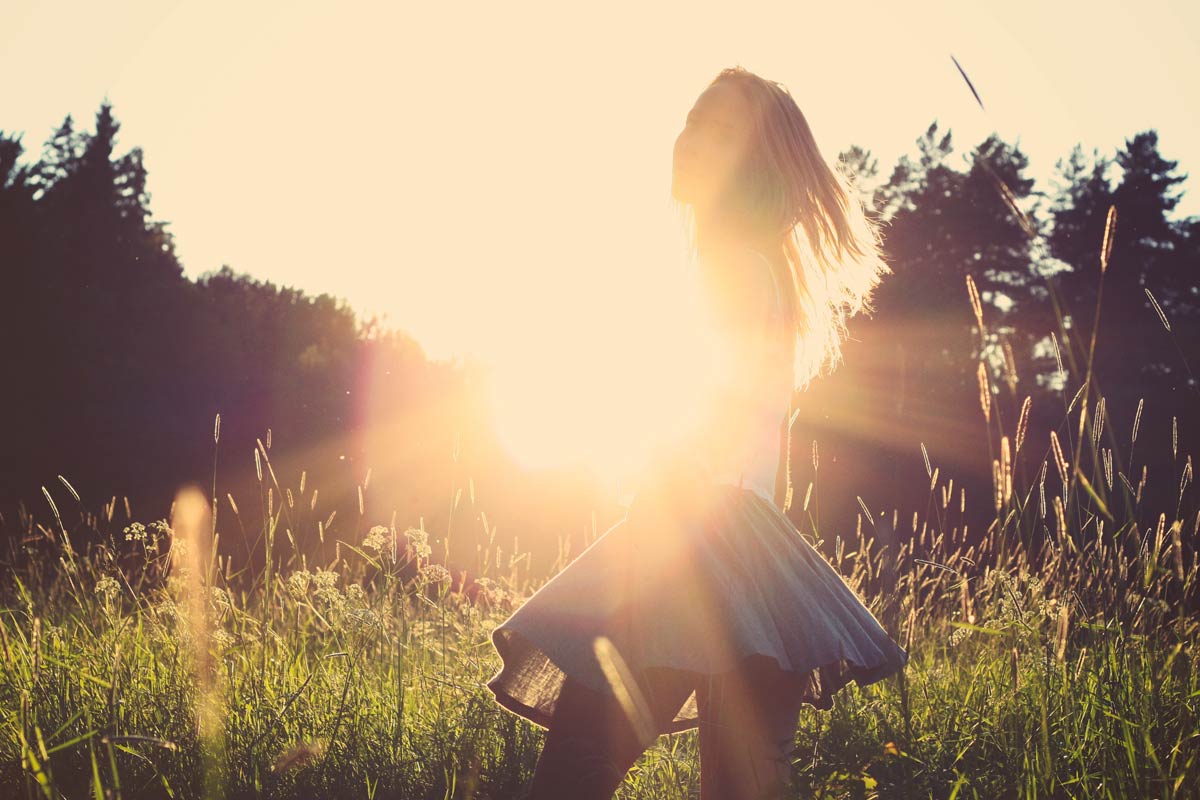
  • Usually a picture of a silhouette with the sun directly behind it/them.
  • Make sure subject is fully defined.
  • Play with the line of gravitation with subjects.

Powder Play Photography

Image result for powder play photography

  • Shutter speed- mid speed – freezes particles in time.
  • Using flour- the background should be contrasting.
  • Narrow aperture
  • Minimum- 2 sources of light- 45 degrees.

Underwater Photography 

Image result for underwater photography

  • Photos will be lacking red- reflection of light changes the colour, therefore needs good source of light.
  • Water will bounce light to different directions.

Aerial Photography 

Image result for aerial photography

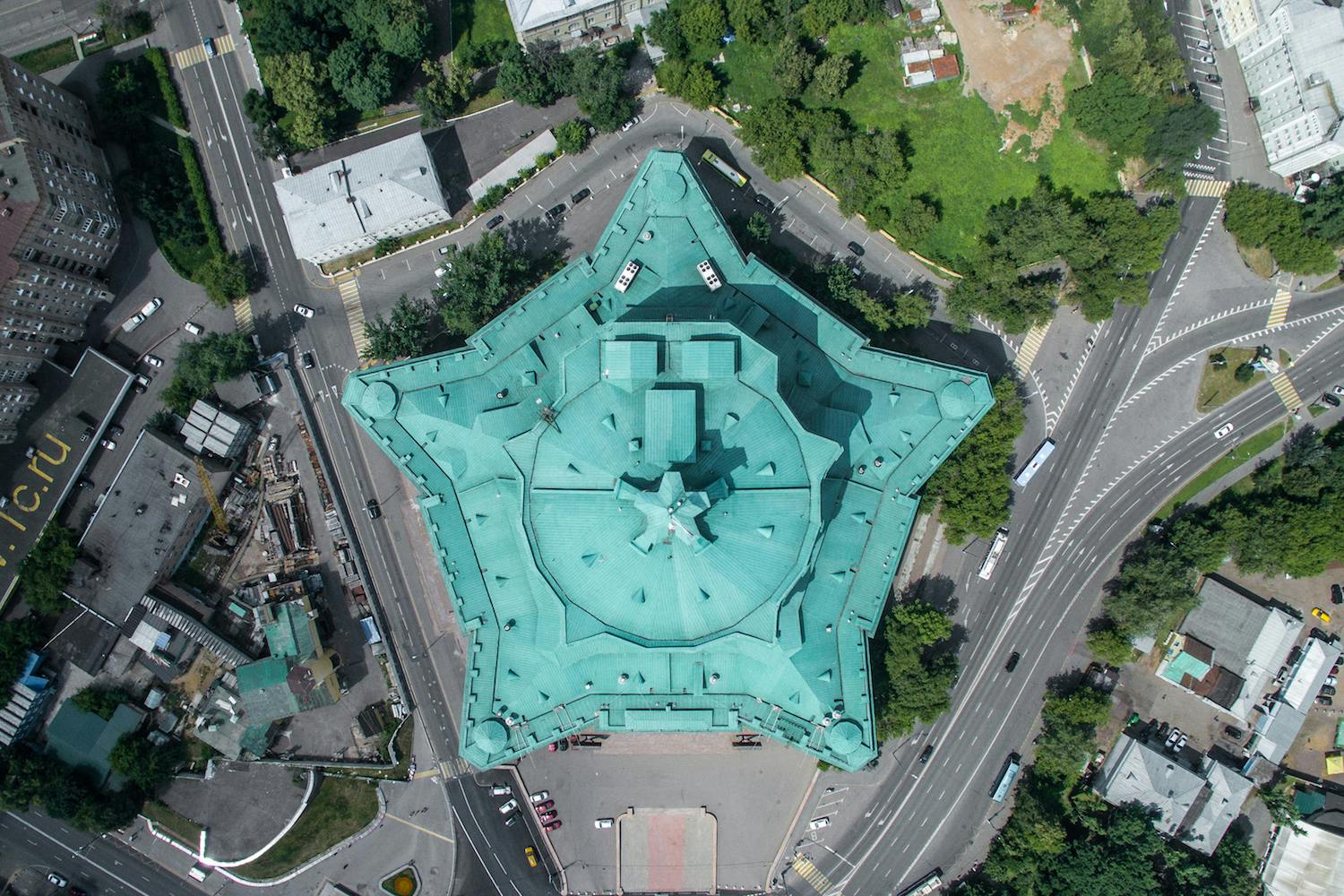
  • 90 degrees from the ground.
  • Parallel to the horizon line.
  • Must read legal framework for aeriel photography.
  • Never shoot anything that belongs to the Queen E.G Palaces.

Editing with Camera RAW in Photoshop

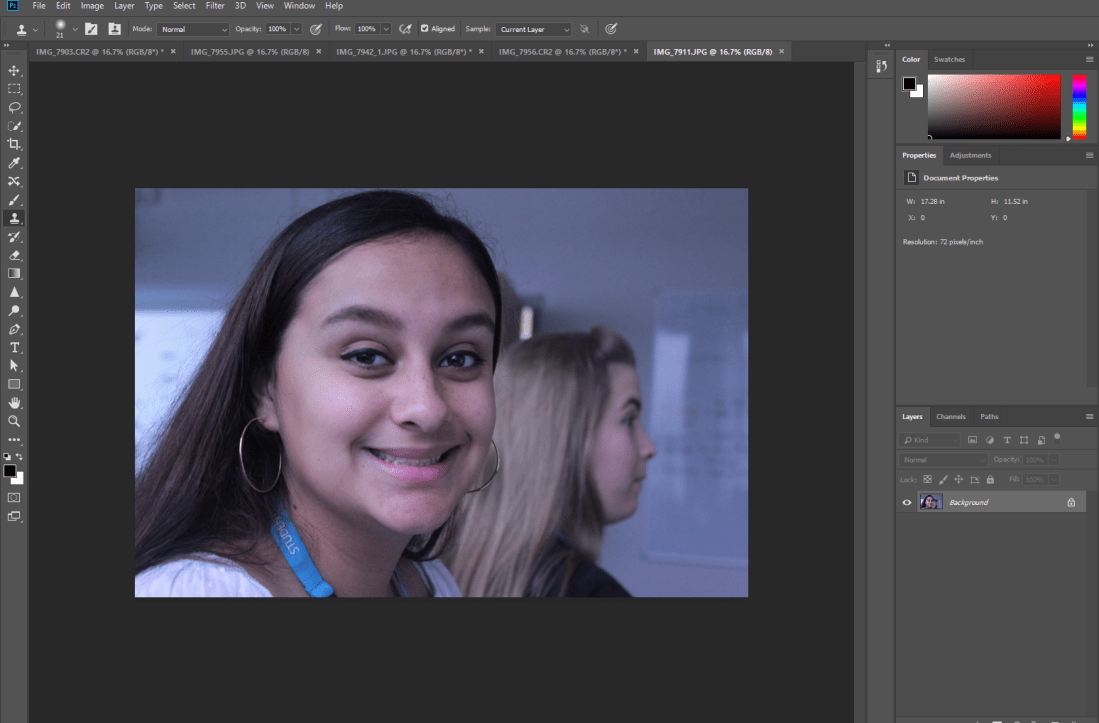
Camera RAW refers to the type of file format that is higher in quality than most photo types. High end cameras have the option of changing to RAW, this means the photos have better colour ranges. Raw process- 1

Once selecting the RAW picture that I want to use, Photoshop opens.

RAW 2

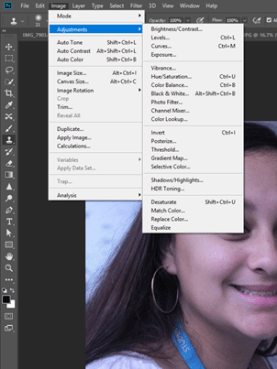
To start editing my picture, I select the “Image” tab and select the adjustments. I then start playing around with the different options.

raw 3

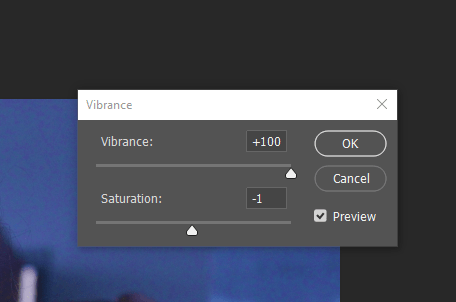
I started off using the the ‘vibrance’ option to boost the colouring of the picture. I also altered the saturation.

raw 4

Using brightness/contrast settings, I turn the brightness down and up the contrast to ensure that it adjusts correctly.

raw 5

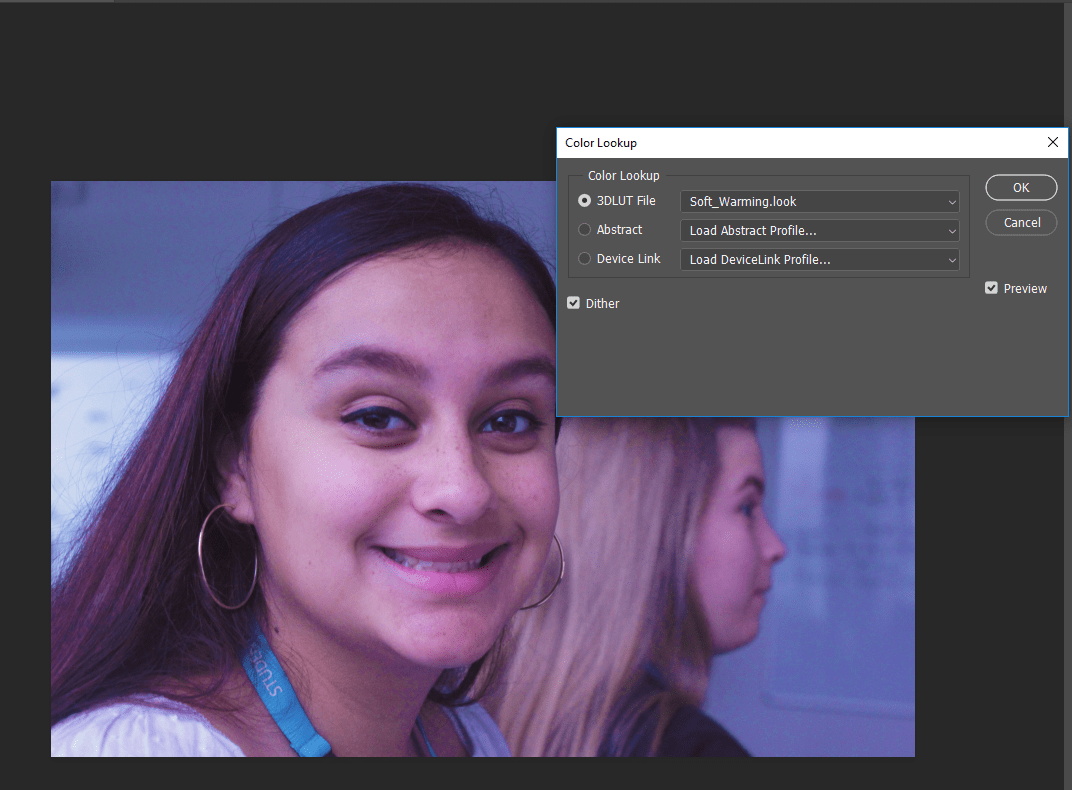
I then select the “Colour Lookup” tab and look through the filters given, in this case I chose to use the ‘Soft Warming’ filter.

raw 6 raw 7

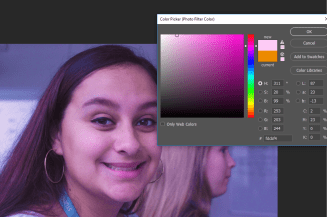
Once I do this I add a pink tint to the picture to get the overall filter desired.

Overall, I think this type of effect can change the whole mood of the picture. The original colouring of the picture seeming more grey and sombre, however, with the boosted saturation and brightness and the pink tints adds happiness to the picture. Also, the use of contrast has given more definition to the picture.

Photography Challenge- Fareham.

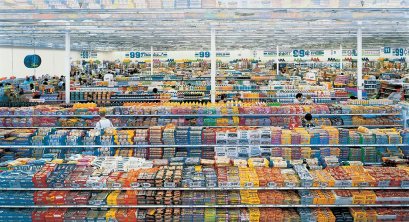
99 Cent’ 100 Most Influential Pictures Recreation. 

time-100-influential-photos-andreas-gursky-99-cent-90(1)
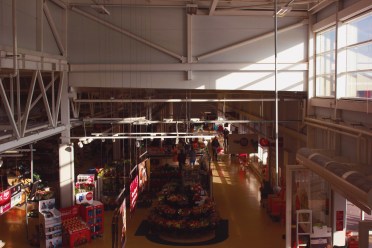
We recreated this picture in Sainsbury’s by going to the top of the shop and getting this overview picture. This is how we interpreted Andreas Gursky’s picture, we wanted to capture as much of the shop as possible but we were obviously limited as to what you could do, therefore this was the safest, easiest way to get the picture. When editing this, I tried to add  more vintage colouring, as seen in the original picture as it was taken in 1999.

99 cent recreation


In the Style of David La Chapelle

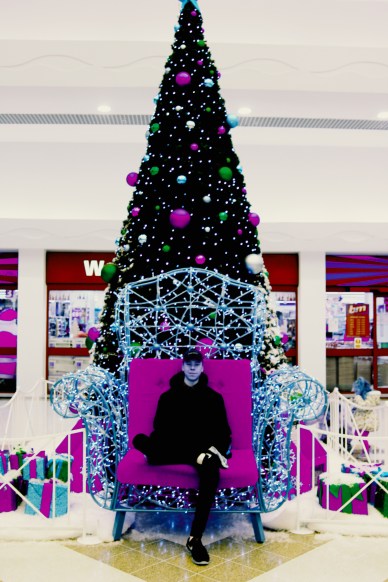
David LachepelleThis picture was slightly harder to recreate, however, I believe that the setting in which we chose to take this picture can sort of resemble David Lachapelle’s artistic and fun style. The original picture was quite bland, therefore, while editing I tried to make it as colourful and funky looking as possible in order to achieve something similar to Lachapelle. The choice of colouring represents fashion/artistic photography well. I used colours such as blue and purple to create the main tint.
In the Style of Vivian Maier

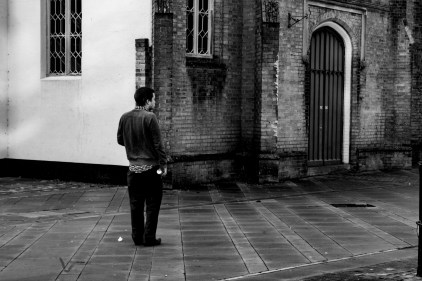
Vivian MaierIn this picture, we tried to resemble Maier’s photography by taking a picture in Fareham High Street of a random passer-by with the architecture in background. When editing, we made the picture black and white to resemble Maier’s vintage style and the time her pictures were taken in.
In the Style of Gregory Crewson

greg crewson

In the recreation of Gregory Crewson’s picture, we took a more cinematic approach by making the picture look darker and sombre. The dark tones bring out Crewson’s cinematic styles, however when editing, we tried to make even darker tones to achieve his cinematic effect. We also took a more artistic approach by the way that the model posed in the picture, instead of posing regularly.

In the Style of Ansel Adams

Ansel Adams

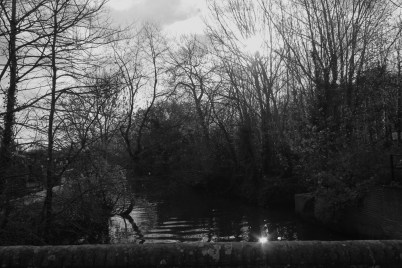
This picture was easier to get as it was just a simple landscape picture. When editing, I made it black and white and lowered the brightness to match Adam’s style which made the picture more effective.

In the Style of David Bailey 

David Bailey

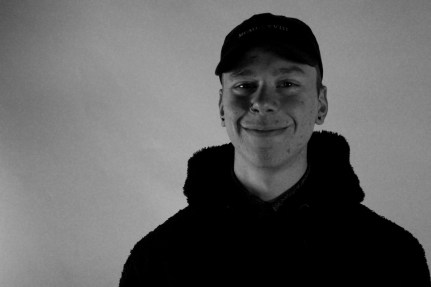
In this picture, we recreated Bailey’s portraiture style of photography. We made the picture black and white to resemble the 60’s style. We got a picture of the model smiling which represents Bailey’s happy atmosphere of his photos.

In the Style of Mario Testino 

4 Mario Testino

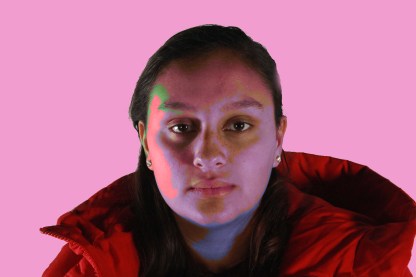
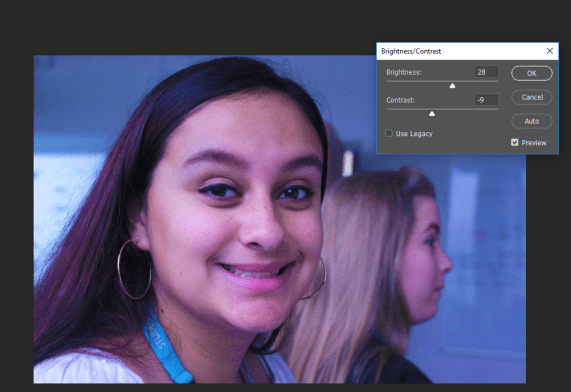
In this picture, similar to Bailey’s style, we took another portrait style picture. To recreate the fashion based theme, we used a pink tint and used different colours on my face to add more vibrancy and creativity to the atmosphere of the picture, instead of the picture being in the original style it was in, if we did not edit it this way, the picture would not look anything like Testino’s style.

In the Style of Don McCullin

Don Mcullen

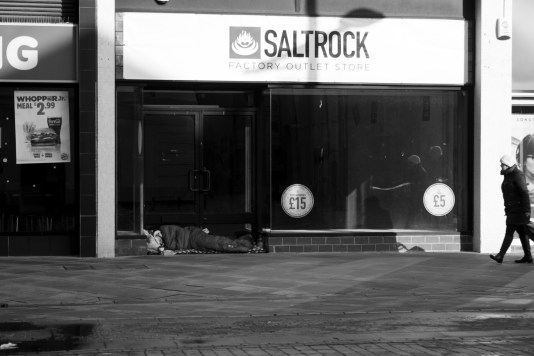
McCullin used to take pictures during the war period however his photography heavily involved poverty/street photography. Therefore when we were in the High Street we took this picture of a homeless person to portray the reality of poverty. While editing, I made the picture was in black and white to resemble McCullin’s style.

White Balance10 White Balance

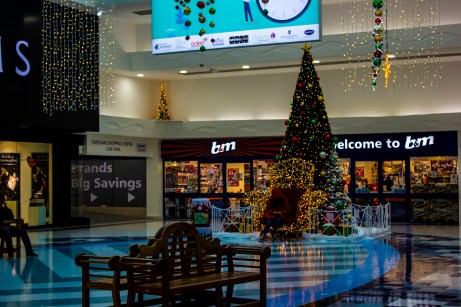
In this picture, we focused on the cool tones of the area we were in, then when editing we made it even cooler by adding blue tones.

Creative Use of Shutter SpeedShutter Speed

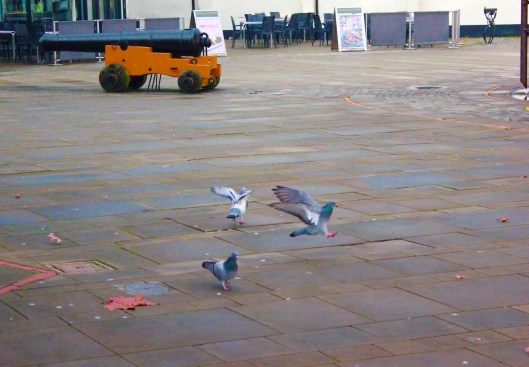
In this picture, a fast shutter speed was used to capture the movement of the pigeon’s flying away. I also adjusted the brightness and saturation to make the picture brighter and more colourful.

Creative Use of Aperture 

APERTURE

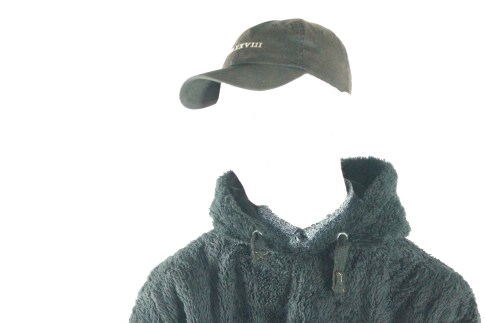
In this picture, we used a really high aperture in order to gain this type of brightness. However, in Photoshop we edited it even more in order to make it look like the model had no head, which made the picture even more unique.

Creative Freedomcreative freedom

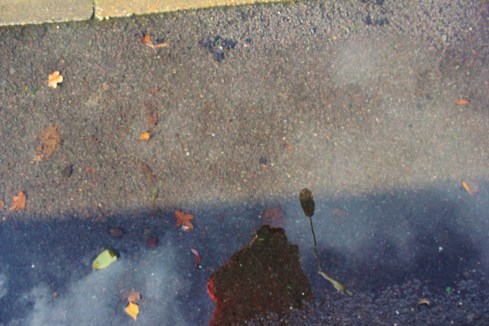
For the last picture, we had a choice of taking pictures in whichever way we wished. Therefore, when I saw this puddle, I thought it would look quite creative if I took a picture of my reflection in it. When editing, i tried to make the picture brighter and bluer in order to get this type of colouring.

The Pillow Fight- Harry Benson- 1964

Capture

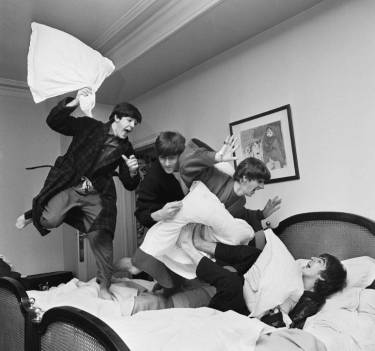
The context behind this photograph follows photographer Harry Benson, who originally had no desires to work with the Beatles. He stated that he took himself seriously and was set to cover a news story in Africa. He did not want to cover a ‘rock and roll’ story. However, after meeting the band members and seeing them play live in Paris, he had no intent of leaving. During this time, the Beatles were on the cusp of greatness and Benson was there to capture it. This pillow fight picture was taken in the George V Hotel, the night that the band discovered that their single ‘I Want to Hold Your Hand’ hit number 1 in the U.S.A. Benson freezes this moment in time and joy through the picture of the excited band members celebrating their success.

This picture was taken pretty early on in the band’s career. Their number one hit single was only few of their number ones as the only achieved their first hit in 1963 when their single, ‘From Me to You’ topped the Record Retailer chart and later became the Official UK’s Single Chart. Overall the band has 17 number within their whole career, therefore, when this photo was taken, this was something that was somehow unfamiliar and new to them. In a way, the picture connotes the feeling of innocence more than excitement. As The Beatles became more successful in their careers, they most likely became more accustomed to their success. Therefore, there is something so raw and joyful about this photo as it displays genuine happiness. The fact that this picture is an action shot makes it work very effectively as it is capturing real emotion. This is what applies the realism to the photograph as it almost makes the audience feel like they are there with them.

Another thing about this photo is that it portrays the prominence of the type of music topping the charts during the 60’s compared to the music topping charts in today’s day in age. The genre of music that was popular back then, is very different and drastic to what is popular now. It is not likely that you get bands topping the carts very often nowadays, however, the Beatles did this often during their time. Therefore, the visual signs of this photograph almost implies what music was like back in the 60’s, the closeness of their relationship as a band and how they all genuinely got along. It shows that their music was as real as their friendship. Therefore, the viewers can interpret the entertainment and liveliness of this picture.

This image maintains prominence as it shows the interment details of the bands career. It captured the happiness and success of their career and how they all genuinely enjoyed their careers.  It also displays the casual, laid back styles as they are jumping in joy in their pyjamas, instead of modern day music where it seems like musical artists always have to be presented in their best attires.

The Beatles were very/probably the most prominent symbols in music during their career, which means this picture is most likely one of the most influential pictures of them and all time. It represents their success, innocence and happiness.