Production Diary 7- 13/03/19 Live Editing Masterclass

Now that we have finished the show, it was time to start editing.

In order to edit in a proper live editing fashion, on of our lecturers, Freddie’s showed us the steps of live editing.

Firstly, before opening premiere software, we had to label all of the footage and audio into the correct order and put it all in individual folders, for example the Take 1 roll folder had all of its footage and audio in one folder together and each one was labelled something along the lines of “Callie’s audio – take 1” or “Master Camera take 1”.

After doing this, we had to open Adobe Premiere Pro and import the folder which had all of the footage and audio in it, this took a while due to the larger folder size but once it was all uploaded, Freddie began explain what the we had to do for editing.

He first told us to click the arrows on each of the “take” folders so that we could see all of the footage and audio in them. Then pressing down the “CTRL” we had to select all of the take 1’s from each folder, once we had done this, we had to right click and select “create multi camera sequence” and the software matched the frequencies of the camera audio to the up with the microphone audio and creating a sequence all in go. Then to edit the clips and make cuts, we had to use the multi camera toggle to choose which angle/ shot we want to use, when you click the cut you want to use, it automatically cuts it for you.

This is how I intend to edit each cut throughout the editing process.

In regards to editing progress today, I managed to finished editing the first take. It took a while for all all of the footage and audio to transfer over to Premiere Pro due to its large size in addition to everyone else in the class editing the same footage hence why I only managed to finish editing the first take. Additionally while editing, it took a while to do so because the footage was lagging quite a bit, making it difficult to make accurate cuts. However, next lesson, the footage should flow more smoothly due to some of the class downloading the footage onto their personal memory sticks. Therefore, I plan on starting on take 2 as soon as possible.
Issues Relating to Factual Programming

5 Core Values of Journalism

Accuracy: the truth can be replaced by accuracy, meaning that all facts stated are precise and correct, it is unethical for the journalist to portray information that is incorrect just to support a point trying to be made.

  • “No deceptive handling of the facts.”- Aiden White- Director of Ethical Journalism Network.

Independence: When one becomes a journalist, they become the soul responsible of the words written, verbal, or any information that that they  broadcast.

  • “When transmitting information, you become an independent individual.”-Aiden White- Director of Ethical Journalism Network.

Impartiality– A journalist has to ensure that there is more than one version of the story being told, therefore this has to be recognised to avoid the story being completely bias.

  • “Looking and thinking what are the other sides of this story”- Aiden White- Director of Ethical Journalism Network.
  • “Impartiality will help bring the story as a whole”- Aiden White- Director of Ethical Journalism Network.

Question of Humanity– There are always consequences to your words and actions, therefore, the way one communicates must be done with caution as these words could cause harm to certain people reading the article. For example, any type of hate speech or graphic media shown (however it does depend on the context of the article, graphic media might be justified).

  • “Expected to be aware of the consequences of what you publish and what you broadcast”- Aiden White- Director of Ethical Journalism Network.
  • “Journalism should be part of a humanitarian process”- Aiden White- Director of Ethical Journalism Network.

Accountability-  the fact or condition of being responsible for one’s own actions.

  • “Engage with audience and correct our mistakes”- Aiden White- Director of Ethical Journalism Network.

For example, the case of Chelsea Manning, a transgender woman, who prior to her transition, served in the US military as an intelligence analyst. She had access to classified databases and later on, leaked this information to Wiki Leaks. Her story was followed heavily by the media, however, they tended to focus on the fact that she was transgender and brought up negative information on her part, however journalists (who clearly support the governments privacy) writing this story  did not support the fact that she leaked this information and seemed to to take it more personally. The majority of the articles being written about her failed to recognised both sides of the story and often picked up on the fact she was transgender, when in reality, this fact was completely irrelevant to the story.

Creative Roles in the Creative Media Industry:

⁃ Director

⁃ Screenwriter

⁃ Photographer

⁃ Casting director

⁃ Colourist

⁃ Composer

Technical

⁃ Editor

⁃ Sound technician

⁃ Director of photography

⁃ Lighting technician/ spark

⁃ Make-up artist

⁃ Camera operator

Editorial

⁃ Accountant

⁃ Script doctor

⁃ Magazine editor

Marketing

⁃ Content marketer

⁃ Copywriter

⁃ Distributed

⁃ Advertiser

Managerial

⁃ Producer

⁃ Executive producer

⁃ Assistant director

⁃ Studio head

⁃ Project manager

Administrative & Research

⁃ Location scout

⁃ Researcher

⁃ Personal assistant

Roles and Responsibilities in Live TV:

Producer/ News Editor

⁃ the producer initiates coordinates and supervised and controls matter such as raising funding, hiring key personnel, legal, administrative, technological and artistic aspects of a production. The producer is involved throughout all phases of the process from the development to completion of a project ensuring the production always stays on time for deliver.

Director

– The director is responsible for all CREATIVE aspects of a production. The director typically helps hire the cast. The director helps decide on locations and creates a shooting plan (shot list). During shooting, the director supervises the overall project, manages shots.

Production Manager

The production manager makes deals concerned with business about the cast and crew. Creating call sheets, production schedules, budget sheets, ensuring all cost and crew in time, organises the technical needs of the crew and cast.

Floor Manager

Represents the director on the studio floor and gives instructions and directions to the crew, cast and guests. The floor manager also checks that the floor is clear and safe for the performance and makes announcements to the staff and audience. Helps maintain in the quietness and order calls cues and prompts talents as required.

Camera Operator

Uses the camera as instructed by the director to desk and compose the shots. They ensure the required action is correctly filmed in the frame. And must react instinctively as the proceedings take place.

Sound Tech

Weill oversee the audio aspects of the production. During shooting sound operators will maintain good clean audio recording levels placing microphones on cast sound checking ensuring enough battery listening closely to action and adjusting accordingly.

Lighting Tech

Involved with setting up and controlling lighting equipment. Safely lighting the set, selecting the appropriate types of lights colours for the scene and will often lights on and off from the prompt of the director.

Script Supervisor

Oversee the continuity of the production including wardrobe props hair and makeup actions during the scene. Notes will be recorded during the production help the editor.

Set Designer

Collars with the directions and other members of the prod design team to control productions onscreen appearance including sourcing props and materials.

Graphics Designer

Designs what graphic content is displayed on air.

SOLENT UNIVERSITY VISIT- 15/03/19

Today at Solent University, we were invited to watch a live show by the third year students being made. This show was a game show called ‘Walk the Block’ in which there are two teams (red and blue) and one teammates from each team has to stand on their side of a catwalk and the host of the show has to ask the other teammate a question, and if they get it right, the team member on the catwalk can move forward the game goes on this way until the winning member is at the end of the catwalk. During the rehearsal of the show, our class members could choose who they wanted to shadow from the crew. For example, on of the camera operators, lighting, sound, graphics, floor manager, live editing, etc. I chose to shadow a camera operator, she was working on the main camera located in the middle of the set. I got into a discussion with her about university and how I was unsure if I wanted to go or not. She told me that she was in a similar situation to me and decided last minute that she wanted to attend university. She also told me about the course what she does and has been doing for the past 3 years of being at uni. Furthermore, she proceeded to show me how she works the camera and once the rehearsal started I watched her operate the camera. This definitely gave me more of an insight as to what it is like to work in that kind of environment. You have to stay very focused and heads on in this kind of job.

After we watched the rehearsals and took a quick break, we watched the actual live show being filmed. This time we sat in the audience while watching it being done and took part in the game on our phones by answering questions on their website. After we watched the successful run through of the show, we were told the show was going to be done again, but our class was going to take their roles. I and a few other people went up to a control room where mainly the managerial team go such as the producer, director, etc. I decided to work with the graphics by playing the VTS for the show. It actually took a lot of concentration as I had to pay attention to the directors cues

Overall this was a very educational experience and I’ve definitely learnt a lot more about live shows and what goes into them.

Social Media Strategies

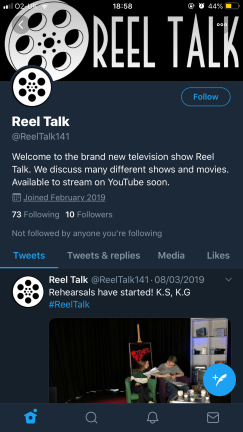
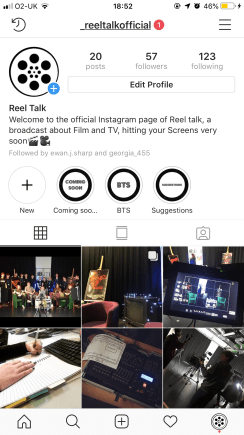
In regards to what the live show will be doing on social media, we have decided to create a twitter and an Instagram which will be updating throughout the pre-production, production and post production.

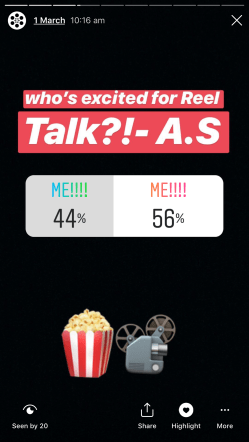
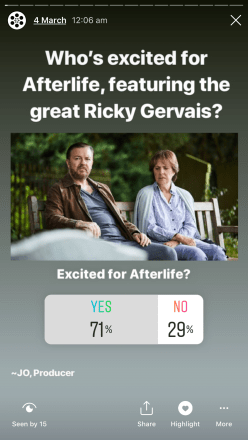
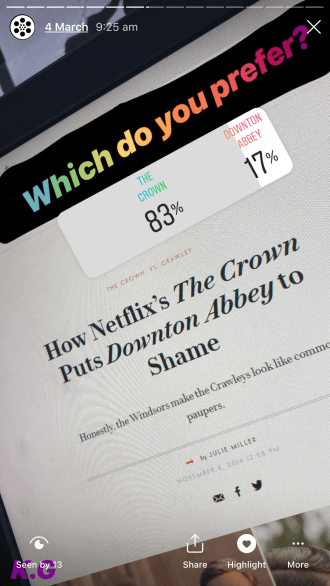
On Instagram, we are mainly going to be posting pictures of the pre-production work we are going to give the followers a bit of insight to our work before the show comes out. This will give them an idea of what to expect and will also hopefully get them intrigued as to what will be on the show. We will also run polls on both twitter and Instagram to see if people prefer originals and remakes, what shows and movies they are currently watching, what they are looking forward to, etc. We hope to achieve a lot of feedback from the our audience to help us prepare.

UPDATE- After the show:

Using social media proved to be very useful as we kept on top of it and ended up getting many followers on Instagram, meaning that we could reach a wider audience.

Posts in which we asked people questions got many replies, and this was the same with the polls, many people answered our questions meaning that we could use this information on the show, making it seem more professional.

Although our twitter was not as successful as our Instagram, we kept it up to date and tried our best to interact with followers on there.

PICTURES OF ACCOUNTS AND ACTIVITY:

My Roles and Responsibilities

For our live show, I have chosen to be a production manager. This means that I have to focus on the logistics of show and what is going to need to go into it. For example I will be doing things such as the risk assessment, which means I will be identifying all of the possible hazards that could take place and what will need to be in place if any of these accidents do actually occur. I will also be completely location information forms, meaning that I will find all of the information on the possible places that we will be filming at what possible limitations there would be from filming there and what can be done to prevent the problems. Furthermore I would have to be sourcing everything for the show such as props, hosts, video clips, etc In addition to this I will have to be making call sheets which is similar to a schedule as it contains the people needed and what times they will be needed on the day. On the day of the show I will be working with the floor manager to ensure that everything is going to plan with the timings of everything and ensuring that the guests on the show are sticking to the script and everything planned out for them.

Overall, I need to ensure that everything goes according to plan and ensure there are no problems with the show and if there are, they need to fixed and kept under control.

How to create a Magazine show: ‘The One Show’ Analysis


CINEMATOGRAPHY

  • In regards to the cinematography of magazine television shows, there is quite simple cinematography, nothing complicated or too extreme. For example, if you were to examine the opening of one of these shows, such as The One Show, a medium shot is used when the hosts are introducing the show. Additionally, when a celebrity is being interviewed, medium shots are used too.
  • Sometimes, there are switches to a high-angle shot, to give the audience watching a a whole view of the interview in addition to a shot of the television which plays the VTs.
  • During the interviews, there are four cameras being used, one focusing just on the guest, one on the hosts, a master camera which gives you a long shot of the hosts and guests and then there is the crane camera which is switched to from time to time. The show is also using a dominant 2 shot- shot reverse shot.

LIGHTING

  • The One Show uses 3 point lighting throughout most of the show, unless it is purposely changed. Occasionally, light sources can be seen, but most of the time, they’re hidden.
  • During editing, there is multi-camera (vision mixing) with continuity editing for pre-timed inserts.

SOUND

  • Intro music is played at the beginning of the show and there is added music in the background of the show when the hosts are introducing the show, however no music is added when they are interviewing the guests. At the end, a band plays out the show.

MISE-EN-SCENE & COLOUR SCHEME

  • The colour scheme mainly uses bright colours. It includes background colours such as purple, red, dark and light blue. These all li up colours.
  • The well-lit colour scheme portrays the light and happy theme of the show.

CONTENT

  • The content of the show includes an interview with a celebrity which lasts for a about 10 minutes. Then the hosts switch over to talking about different news topics, in which they read from an autocue- all of this is filmed in live from the studio.

FILMED SEGMENTS

  • There are some segments throughout The One Show, segments on different stories (almost like documentaries) such as female wrestling and the evolution of it. Additionally there is a segment called The Rocketmen, which is mainly revolved around missions to space.

GENERAL ATMOSPHERE

  • The overall atmosphere of The One Show is very comedic and lighthearted, also very simple language is used meaning is quite easy-going.

REPRESENTATION

  • In the specific episode that we analysed, there was female representation through female wrestling segment. It showed the history of female oppression to today’s progress.


Production Diary- Reel Talk- 8/03/19

Friday 8th March

Today was the big day, in which we finally got to film our live show. The day started off with everyone arriving at college and meeting in the classroom to discuss some final things through. After this discussion, everyone except the floor manager and I, left to go the studio the start setting everything up and finalising all of the set design.

While the rest of the crew was doing that, the floor manager and I started printing all of the necessary paperwork off, such as the risk assessment, 6 copies of the script for all of the crew members and the call sheets. This took us a while to do as we had some technical difficulties with the printer, however we resolved the issue and managed to print everything successfully. After printing everything off, we went back to the classroom to finish off editing the In The Spotlight VT. Once that was saved in the VT folder ready for access to the other crew members, we made our way to the studio with all of the paperwork, ready to give to the crew. Once we arrived there, everything was set up and it finally looked professional and ready for use. Everything was beginning to come together. All of the lights were set up in addition to the cameras and the rest of the equipment. We decided to give the show a quick rehearsal by using two of the crew members just to read off of the script, this gave us an idea of what it was going to be like once the presenters had gotten to the studio.

After doing this mini rehearsal, we had a quick lunch break and then went straight back up to the studio afterwards. The presenters arrived about 10 minutes after the lunch break, to start off proper rehearsals of the show. We ran through the full show about 2-3 times before taking Callie and Redmond to get their makeup done, to get ready to film the show properly.

Once we got to the studio, everything and everyone was ready to film. We filmed the final take of the show and everything went very smooth and professionally. Every member of the crew fulfilled their roles meaning that the show was a success which was something we were all worried about it not being.

It was a very big relief after we wrapped up, knowing that the show went well!

Production Diary- Reel Talk-7/03/19

Thursday 7th March

Today was the big day before film day, meaning that it is the last full day to ensure everything is check and ready to go.

This morning, I started off with completing a research pack for the hosts. For this, I gathered up information for each VT, for example, the New to Netflix segment, in which our guests (follow lecturers) Ingrid and Ryan talk about the new TV shows and movies that have come on to Netflix. So, on the research packs, we gave a short explanation on what the VT was going to be about and we listed each movie that was going to be mentioned and gave some background on them. We did this for all of the VT’s, just giving information for each one and what they were going to include, just so that the hosts weren’t completely clueless on what will be going on in the show.

Furthermore, the script supervisor finalised everything on the script and sent it through to the hosts, along with the research pack. We did this first thing in the morning so that they have more time to prepare for the show as we already sent it later than we said we would, so hopefully everything ill run smoothly with the presenters.

Furthermore, the floor manager started editing our In The Spotlight VT, which was overall quite simple as it only needed minimal editing.

Throughout the day, I started sourcing the clips for the VT’s and putting them into folders so that it would make it easier for the rest of the crew to find the clips.